Manage Organization Members
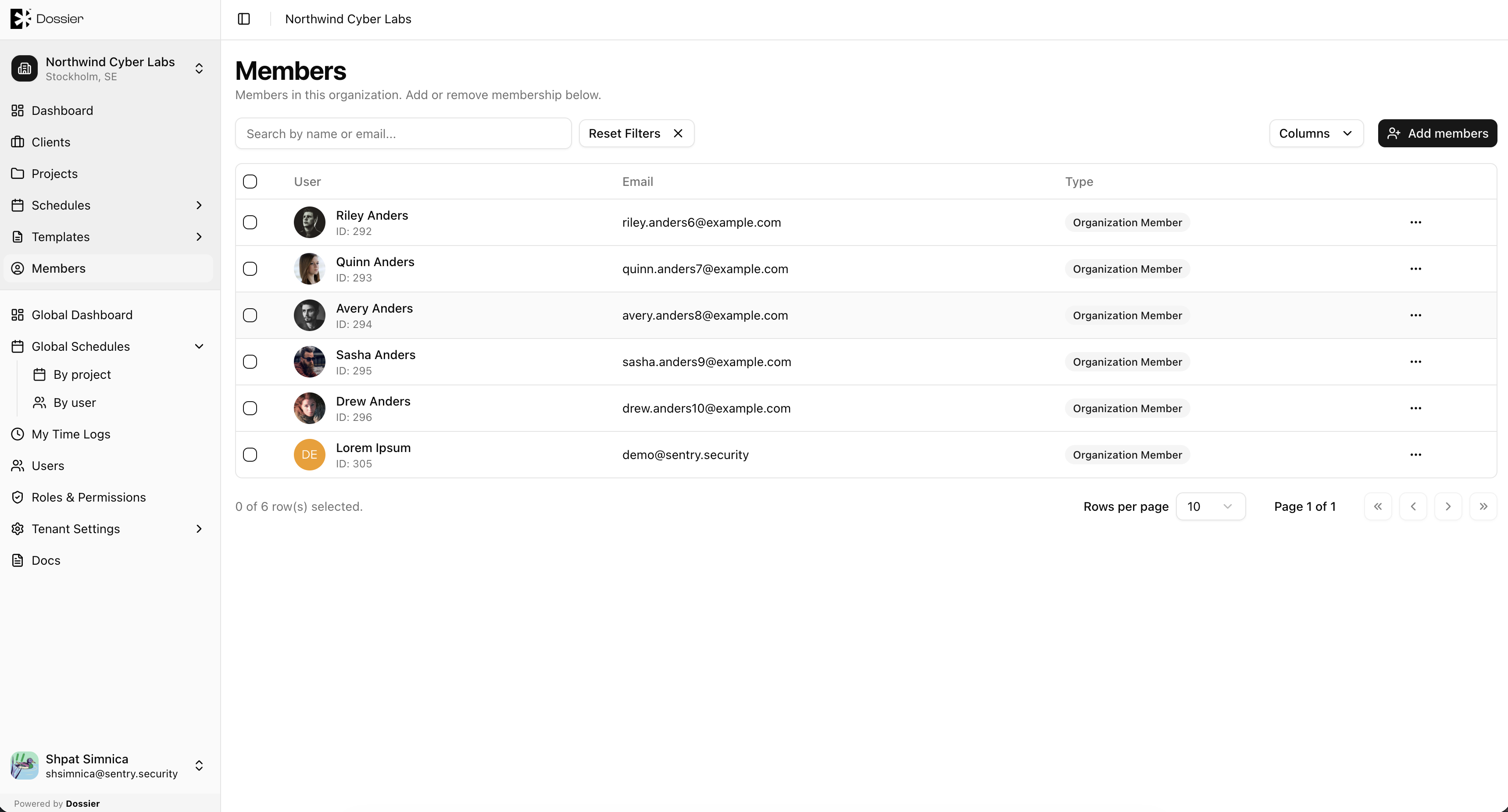
Organization members are team members assigned to an organization. Only members of an organization can access its clients, projects, and templates.
Viewing Members
Step 1: Navigate to Members
From the sidebar, click Members under the org-scoped section (route: /org/:organizationId/members).
Adding a Member
Step 1: Click Add member
Open the add member dialog.
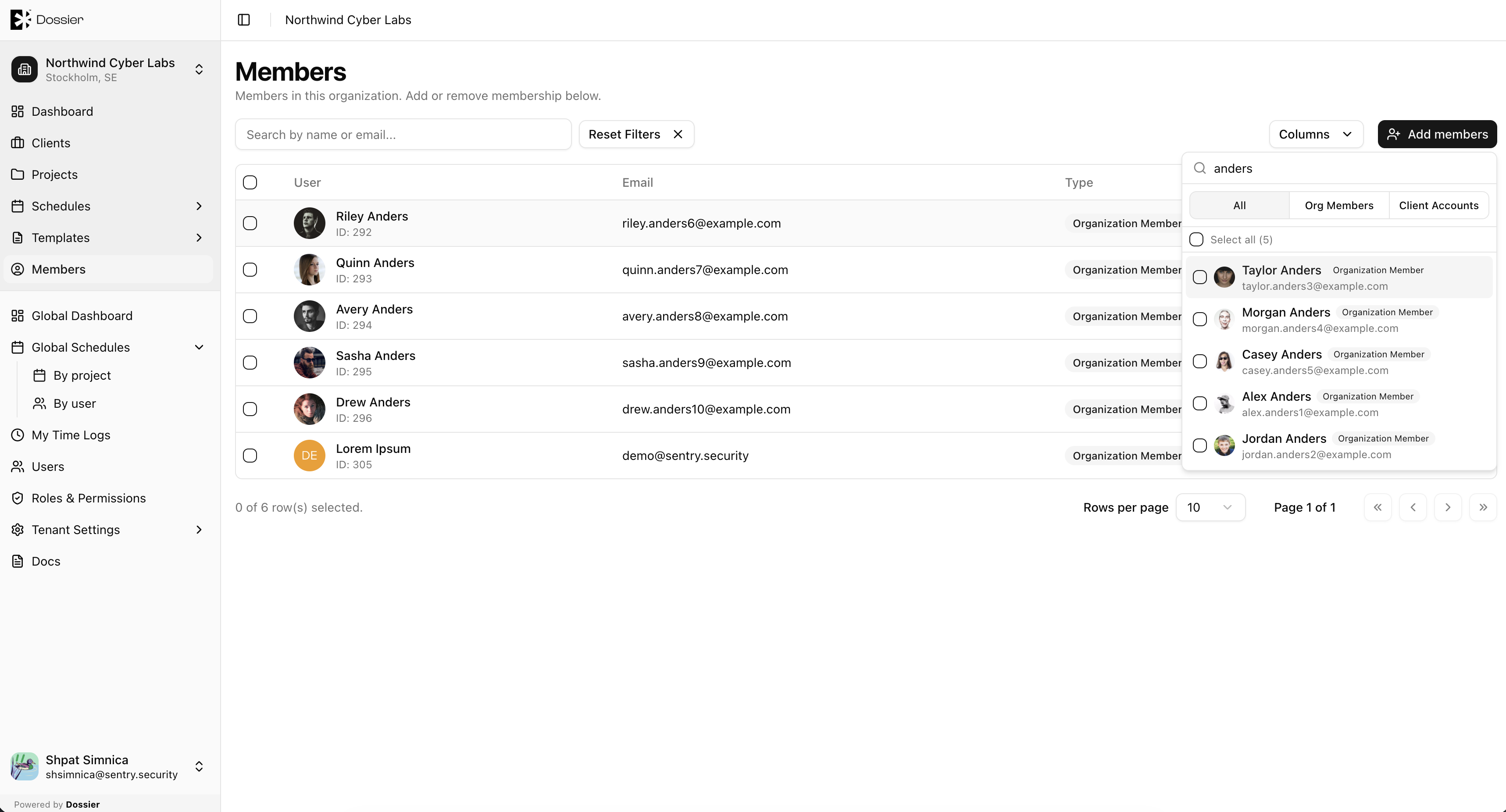
Step 2: Select a user
Search for an existing team member and select them. The user must already exist in the tenant's user list.
Step 3: Confirm
Click Add to assign the user to the organization.
Removing a Member
Step 1: Find the member in the table
Locate the user you want to remove.
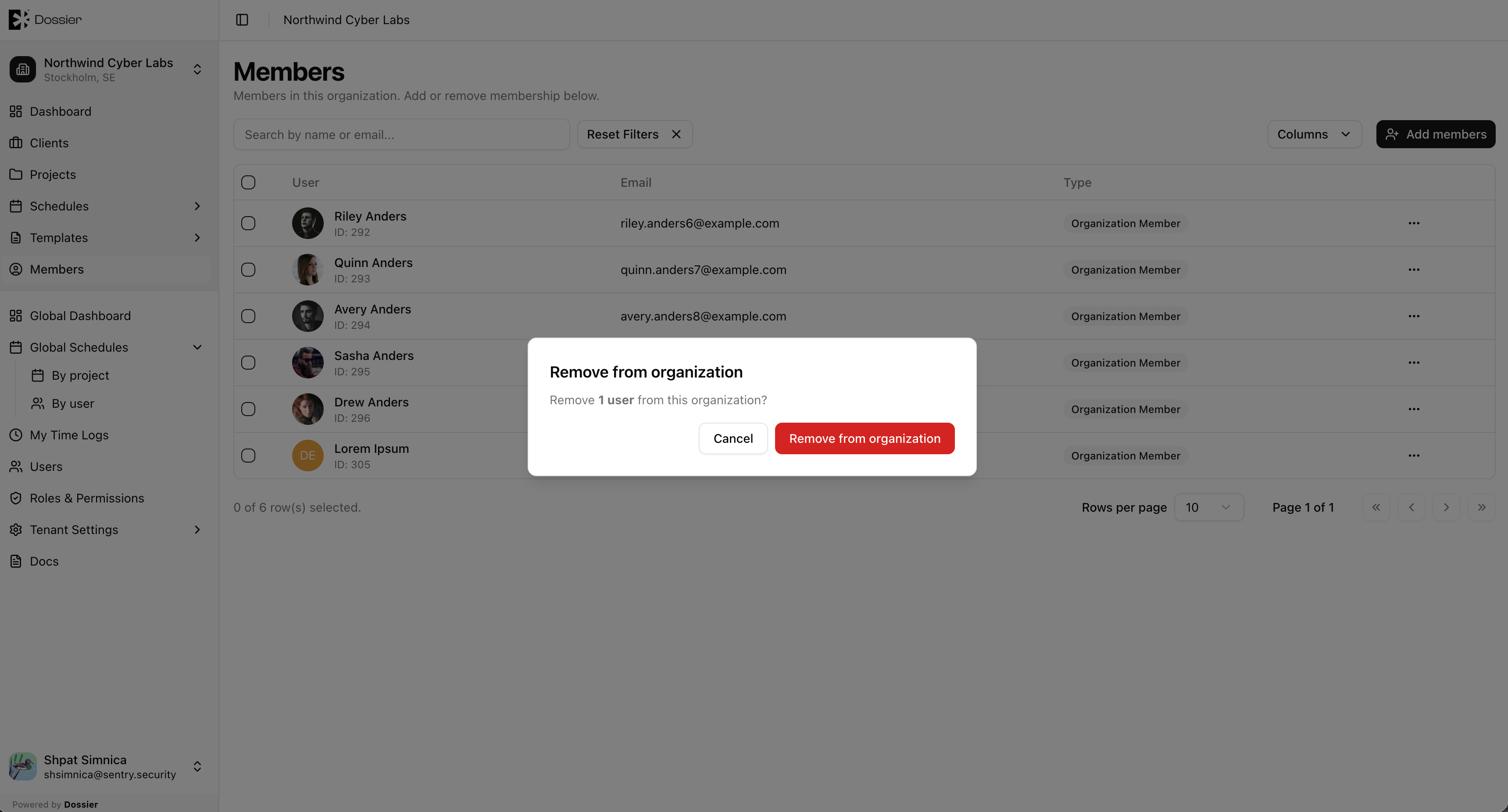
Step 2: Click Remove
Confirm the removal in the dialog. Removing a member revokes their access to this organization's clients and projects, but does not delete their user account.
To add a user who does not yet exist, first create them from Users → New User, assign them to the organization, then add them as a member here.